PROFESSIONAL ANDROID SERVICING SOFTWARE
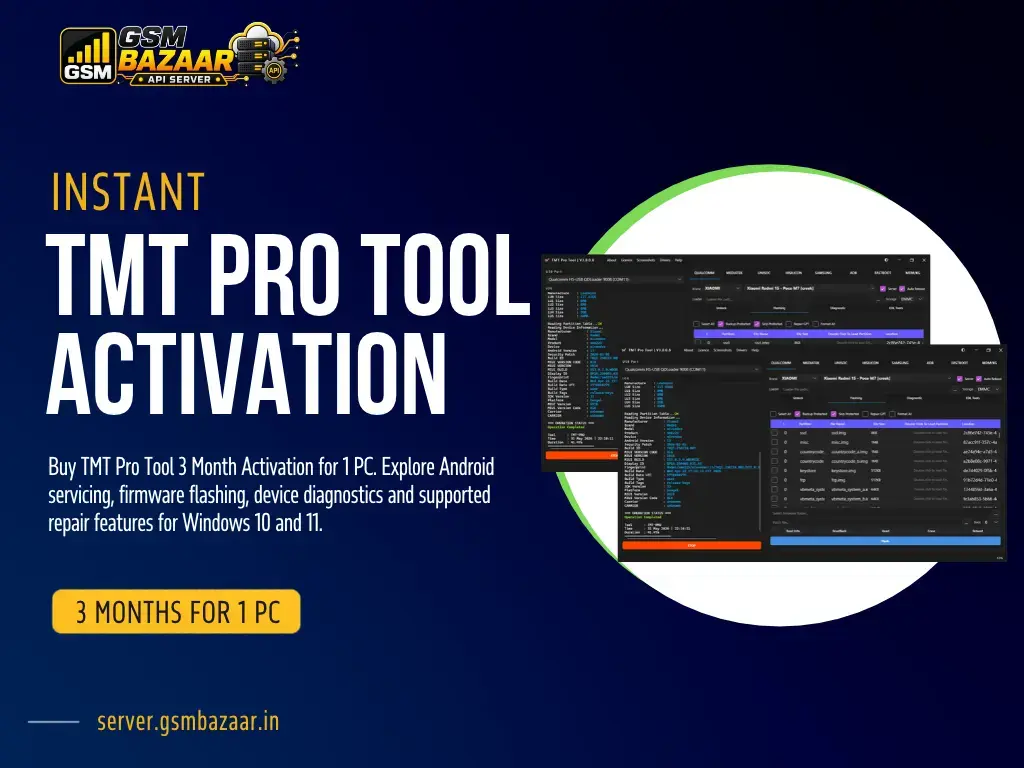
TMT Pro Tool Activation – 3 Months, 1 PC
TMT Pro Tool is an Android servicing software platform designed for mobile repair technicians, GSM professionals and smartphone service centres. It provides access to supported device servicing, firmware-related operations and selected software repair functions through a compatible Windows computer.
This product includes a 3 Month Activation for 1 PC. It is suitable for technicians looking for a time-limited software licence for their mobile servicing workstation. Available features depend on the device model, software version, activation status and official tool support.
What Is TMT Pro Tool?
TMT Pro Tool is intended for professional Android smartphone servicing. Depending on the supported device and available software modules, technicians can use the platform for selected firmware operations, device maintenance and software troubleshooting.
The software is designed for use in mobile repair environments where technicians need a compatible Windows workstation, suitable USB drivers and a stable internet connection for applicable login and authentication functions.
With the TMT Pro Tool 3 Month Activation, eligible users receive access according to the purchased licence terms. The licence is specified for one PC, so check the activation and computer-binding conditions before placing your order.
TMT Pro Tool Key Features
Android Device Servicing
Access supported servicing functions for compatible Android devices.
- Supported device maintenance operations
- Selected reset and software repair functions
- Device identification where available
- Model-specific servicing options
Firmware Operations
Work with compatible firmware and supported software maintenance workflows.
- Supported firmware flashing
- Firmware-related troubleshooting
- Software recovery operations where supported
- Compatible device connection workflows
Mobile Repair Workflow
A software option for technicians working with supported smartphone models.
- Compatible device servicing modules
- Selected software troubleshooting tools
- Supported USB communication modes
- Access to available software improvements
Feature availability varies by model, chipset, firmware, security version and software release. Confirm the exact functions you need before purchasing.
Supported Android Devices
TMT Pro Tool is intended for compatible Android devices from multiple manufacturers. Actual model coverage and available operations should be checked against the current official compatibility information.
Samsung Xiaomi Redmi OPPO Vivo Realme Huawei OnePlus
Listed brands are compatibility references, not a guarantee that every model or feature is supported.
TMT Pro Tool Software Download
Download the software package using the download resource provided below. Before installation, verify that the file is from an authentic source and that the software version is compatible with your system.
Download TMT Pro Tool
Software version referenced in the supplied information: v3.0.0.9. Verify the latest version and installation instructions with the official provider.
Drivers and Product Resources
Correct USB drivers are important for establishing communication between a Windows PC and a compatible Android device. Install only the drivers required for your device and servicing workflow.
Download links and third-party resources should be checked before use. Confirm file integrity and follow the software provider's installation guidance.
TMT Pro Tool System Requirements
Prepare a compatible Windows computer before installing the software. The following specifications are based on the product information supplied for this listing.
| Operating System |
Windows 10 / Windows 11, 64-bit |
| Processor |
Intel or AMD, minimum dual-core |
| Memory (RAM) |
Minimum 4 GB; 8 GB or more recommended |
| Storage |
At least 2 GB free space; SSD recommended |
| Internet |
Required for applicable login, authentication and updates |
| USB Drivers |
Compatible drivers for the supported device and chipset |
3 Month Activation – Licence Details
- Activation duration: 3 Months.
- Computer allocation: 1 PC.
- Product delivery: Digital activation.
- Internet access: Required for applicable authentication and login.
- Updates: Subject to the software provider's release and licence terms.
- Activation and PC transfer rules should be confirmed before purchase.
Get TMT Pro Tool 3 Month Activation
Choose the TMT Pro Tool digital licence for your mobile servicing workstation. Review the supported functions, computer restrictions and activation conditions before placing your order.
3 Month Licence | 1 PC | Digital Product
Activation is subject to the applicable product terms. Delivery timelines and support arrangements should follow the seller's stated policy.
Frequently Asked Questions
1. What is TMT Pro Tool 3 Month Activation?
It is a time-limited digital activation for TMT Pro Tool, specified for a three-month licence period and one PC, subject to the provider's activation terms.
2. Can I use this licence on multiple computers?
This product is listed for one PC. Do not assume that the licence can be transferred or used simultaneously on another computer. Check the provider's device-binding policy first.
3. Which Windows versions are supported?
The supplied product information specifies Windows 10 and Windows 11, 64-bit. Actual compatibility may depend on drivers, system configuration and the software release.
4. Does TMT Pro Tool support firmware flashing?
Firmware-related operations are described as part of the tool's servicing capabilities. Available functions depend on the device model, supported module and software version.
5. Is an internet connection required?
Yes, the supplied product details specify internet access for applicable login, authentication and updates. Check the provider's requirements for your intended use.
6. Where can I download the software?
Use the download resource provided on this product page and verify the software version and source before installing it. Driver downloads and demonstrations may also be available through the listed product resources.
7. What should I check before purchasing?
Verify the three-month duration, one-PC limit, activation method, supported device models, system requirements and refund conditions before placing your order.
Important Information
- This is a digital software activation, not a physical product.
- The stated licence period is three months for one PC.
- Device and feature compatibility must be confirmed before purchase.
- Some servicing operations may erase user data or affect device functionality. Back up important data first.
- Use the software only on devices you own or are authorised to service.
- Digital product refund eligibility is subject to the stated sales policy and applicable law.
TMT Pro Tool for Mobile Repair Professionals
TMT Pro Tool is an option for Android servicing professionals looking for a time-limited software licence for their repair workstation. Before choosing the three-month activation, review the current supported models, software requirements and activation conditions to ensure the product meets your servicing needs.