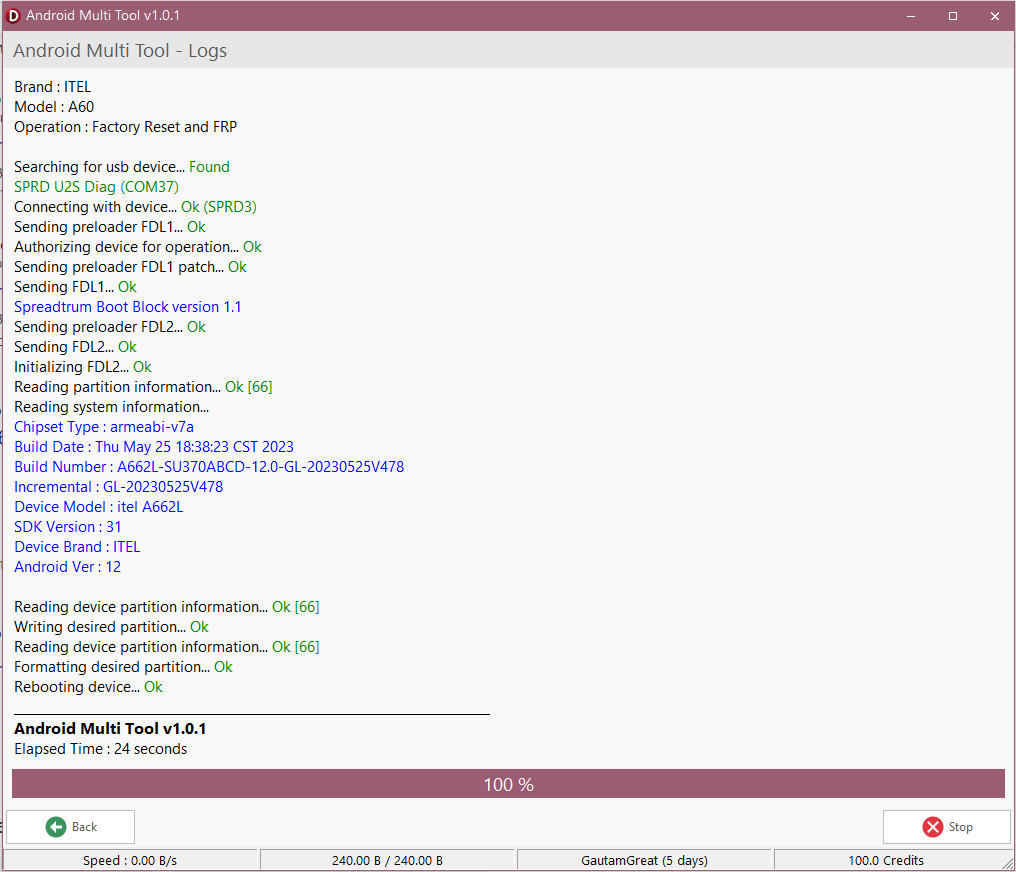
Get temporary AMT Tool access for mobile servicing, flashing and supported unlocking workflows. The 2-hour rental option is designed for technicians who need short-term access without purchasing a longer-duration license.
Please read the rental conditions carefully before purchasing the Android Multi Tool 2 Hours service.
Android Multi Tool (Rent 2 Hours) is a short-term AMT Tool rental service intended for mobile repair technicians who require temporary access for supported device servicing tasks. It provides a defined 2-hour working window, making it suitable for technicians who have a limited repair workload and do not require a longer rental period.
According to the supplied product information, the AMT Tool can be used for supported operations such as flashing, FRP bypass, unlocking, formatting, readback/write, backup/restore and certain pattern or PIN removal functions. Actual availability depends on the device, chipset, model and support provided by the tool.
Temporary AMT Tool access for a defined two-hour service period.
The supplied details describe the access as an official license using ID PASS.
The rental session is limited to one PC and does not support concurrent logins.
Designed for supported Android mobile repair and software-service workflows.
Useful when a technician needs access for a limited repair workload.
Includes the listed flashing, unlocking, formatting and supported servicing functions.
The supplied product details list support for several major Android brands and most MTK/QCom devices. However, compatibility should always be checked against the exact device model, chipset and required operation before purchasing.
Firmware flashing for supported devices and configurations.
FRP-related servicing where supported by the tool and device.
Supported unlocking functions depending on device and tool support.
Formatting functions for supported devices and service modes.
Readback and write functions where supported.
Backup and restore workflows on supported devices.
Available where supported by the tool and device.
Choose a two-hour access period when your current requirement is limited to a short servicing session.
The supplied feature list covers flashing, FRP bypass, unlocking, formatting, readback/write and backup/restore functions where supported.
The rental is structured for one PC login, making the access conditions clear before you start your work.
Suitable for mobile repair technicians who need temporary access for supported Android servicing tasks.
Purchase the Android Multi Tool rental service for the 2-hour access period.
Use the PC that you intend to bind to the rental session because one-PC access applies.
Use the supplied login/token within the required 15-minute window after purchase.
Use the supported AMT Tool functions during your rental session.
| Rental Duration | 2 Hours |
| Login Window | Within 15 minutes of purchase |
| Password Change | After approximately 90 minutes from purchase |
| PC Access | One PC login only |
| Concurrent Access | Not permitted |
| Tool Closure | Do not close after login according to the supplied rental terms |
| Suspicious/Unauthorized Use | May result in immediate block without refund |

Situation: A technician has a supported device that requires flashing. Requirement: Temporary access to a suitable servicing tool. How AMT helps: The rental provides a defined 2-hour access period for supported flashing operations.
Situation: A technician needs to perform an FRP-related service on a supported device. Requirement: A tool that provides the relevant function. How AMT helps: FRP bypass is included in the supplied feature list where supported.
Situation: A technician has a limited number of supported servicing jobs. Requirement: Temporary access rather than a long-duration rental. How AMT helps: The 2-hour rental can be used for supported unlocking operations during the active session.
Situation: A supported device requires a backup or restore workflow. Requirement: Access to the relevant tool functionality. How AMT helps: Backup and restore are among the functions listed for supported devices.
Buying or maintaining longer access may not fit a technician whose current workload requires only a short service session.
The rental gives you a limited access period for supported Android servicing tasks while keeping the usage period clearly defined.
| Product Name | Android Multi Tool (Rent 2 Hours) |
| Tool | AMT Tool |
| License | Official License — ID PASS |
| Rental Duration | 2 Hours |
| Login Deadline | Within 15 minutes of purchase |
| PC Binding | One PC login only |
| Concurrent Login | Not allowed |
| Supported Brands | Xiaomi, Vivo, OPPO, Samsung, Realme, Tecno, Infinix, Huawei |
| Chipset Coverage | Most MTK/QCom devices, subject to actual tool support |
| Support | Depends on device model, chipset and supported AMT Tool functionality |
Please understand the rental conditions before ordering. Rental access is time-sensitive and the supplied credentials are intended for the specified session.
It is a short-term AMT Tool rental service that provides access for a defined 2-hour period for supported mobile servicing tasks.
According to the supplied product details, AMT Tool supports functions including flashing, FRP bypass, unlocking, formatting, readback/write, backup/restore and certain pattern or PIN removal operations where supported.
The product is sold as a 2-hour rental access service.
You must log in within 15 minutes of purchase according to the supplied rental instructions.
No. The rental is limited to one PC login and concurrent or multi-device access is blocked.
The supplied information lists Xiaomi, Vivo, OPPO, Samsung, Realme, Tecno, Infinix and Huawei. Actual support depends on the specific device and available tool functionality.
The supplied details state support for most MTK/QCom devices. Exact model and operation compatibility should be checked before purchase.
The supplied rental conditions state that the tool should not be closed after login. Closing the tool can result in no refund according to the stated terms.
The supplied instructions state that the password automatically changes after approximately 1 hour 30 minutes, or 90 minutes, from purchase time.
Yes. The service is intended for mobile repair technicians, GSM service centers, mobile repair shops and other professionals who need temporary access for supported servicing work.
The supplied terms specify several non-refundable situations, including expired credentials resulting from missed login timing, closing the tool after login and unauthorized or suspicious use.
No universal compatibility claim should be made. Support depends on the specific brand, model, chipset, software/firmware and the function required.

Choose Android Multi Tool Rent – 2 Hours when you need temporary access for supported flashing, unlocking, formatting or mobile servicing work. Make sure your PC and target device are ready before placing the order.
Buy AMT Tool 2 Hours Rent